


I am pleased to announce a new update to the Advanced TinyMCE Editor for WordPress v. 2.2x. This new version — 0.5.0 — is now much easier to configure and customize thanks to the contributions of Chris Carson of Navy Road Software. You can download the plug-in and get detailed installation and documentation from the Advanced TinyMCE Editor page.
As with the previous version, the Advanced TinyMCE Editor enables you to turn your standard WordPress editor into this WYSIWYG powerhouse:
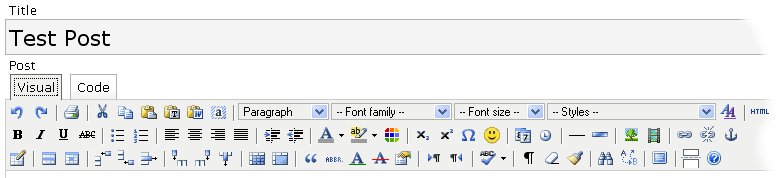
The Advanced TinyMCE Editor plug-in:
- Doubles the editor's available functions to more than 60, adding important functions such as tables, styles, inserts, and others
- Improves existing functionality in handling images, links, etc., and
- Corrects errors in the standard WordPress visual editor.
And, now, with Chris’ contributions, you can easily configure the Editor via a new Control Panel:
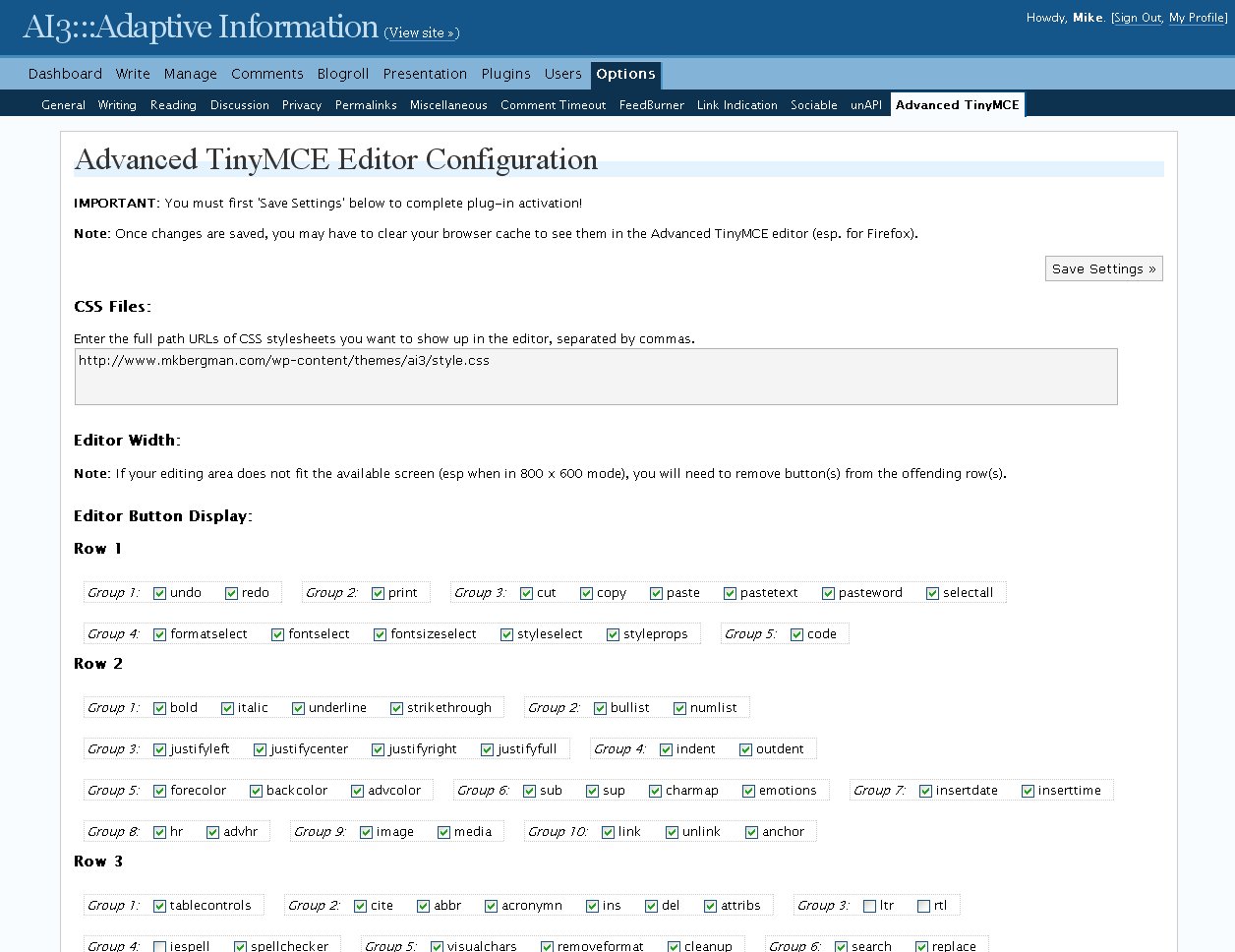
[Click on image for full-size pop-up]
This panel:
- Allows you to add and enter new style sheets without needing to modify code
- Allows you to configure which advanced buttons appear on or off in the Editor
- Provides guidance on earlier width problems, esp. for small screen (800 x 600) older laptops.
Again, you can get this free WordPress plug-in from here.
TinyMCE and its advanced options are from Moxiecode Systems AB. Please note that the Advanced TinyMCE Editory plug-in has not been tested in WP versions prior to 2.2 and has not been tested in all browsers beyond Firefox and IE.

OMG! Awesomeness!
Except I get a big fat blank white screen instead of the Editor Configuration page. Probably something to do with wp 2.2? Or something else I’ve messed up? I’ve tried reloading a couple of times and using the dreaded internet explorer. No dice. Any help appreciated.
Also, MASSIVE GOOD JOB on all this work! I (heart) Advanced TinyMCE editor. 0.4.0 has been a terrific addition to my blogging experience.
Hi Big Brunette,
This is the second report I have received of problems with the Options page. I don’t know what the problem is, other than perhaps some of the plug-in conflicts I’ve noted in other postings (http://www.mkbergman.com/?p=382).
If any user out there has another idea, I welcome you to post it here!
Mike
Hi!
I have tray Advanced TinyMCe in WordPress 2.2,
When I open the cell propeties, end change the one or more propietis, after
the submit, the content of the cell is delete for ever 🙁
I had same blank page. I solved deleting rows from 3 to 11 in “control_panel.php” file in plugin directory. If you remove these lines you can see option page and save the parameters on the first time in “options” from admin menu.
Note: I don’t know if deleted lines are useful to some features.. but the plugin seems to go fine!
Here are the lines I deleted: